Desk Weather Station with OLED Screen
A small desk display that shows the room's temperature, humidity and air pressure at a glance.
Try it
Behavior simulation: shows what it should do. It does not run the code.
Try this: Drop the air pressure by 5 hPa, tap the touch pad twice for the trend page, and watch it say 'Rain likely' at the next refresh.
Controls
- Room temperature (simulated)
- Room humidity (simulated)
- Air pressure (simulated)
- Touch pad (change page / wake)
What it does
- OLED screen
- Screen brightness
- Page shown (1-3)
- Weather hint
- Pressure change (3 h)
- Sensor raw temperature (incl. board warmth)
- Live sensor reading
- Board power light
- Touch detected
- Next screen refresh in
What it does
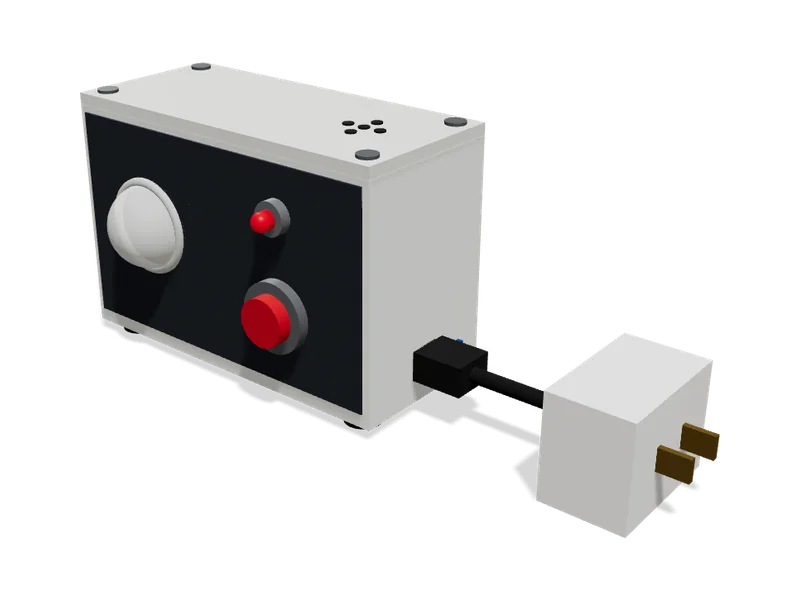
A compact desk gadget with an ESP32 inside, a BME280 sensor that measures temperature, humidity and air pressure, and a small 1.3-inch OLED screen that shows the readings. The screen updates every few seconds and a touch button flips between a summary page, a big-number page and a simple pressure-trend page that hints at changing weather. It runs from any USB charger, and the sensor sits in a vented pocket away from the board so the board's own warmth doesn't throw off the temperature reading.
Try it above: Drop the air pressure by 5 hPa, tap the touch pad twice for the trend page, and watch it say 'Rain likely' at the next refresh.
Safety
- Low-voltage USB power only; use a decent 5 V USB charger, as cheap unbranded chargers can overheat
- Small parts and a cable; keep away from small children and pets
What’s inside
14 parts. We buy, make and put these together for you.
Brain
Runs the program and makes the decisions.
- ESP32 DevKitC (ESP32-WROOM-32, 38-pin)1×
$16.99
The small brain that reads the sensor, works out the weather trend and draws the screen.
- 28 × 54 × 10 mm
- Power: USB 5 V
- Firmware: arduino-cpp
- Runs on: 4.75 to 5.25 V
- Draws: about 80 mA
Pack of 2, you use 1, the spare is yours.
list price, checked Oct 5, 2026 at AmazonView
Senses
Measures the world around it.
- BME280 temperature, humidity + pressure sensor1×
$14.95
Measures the room's temperature, humidity and air pressure.
- 25 × 18 × 5 mm
- Bus: I2C
- Address: 0x77
- Location: vented side pocket, away from board
- Runs on: 3 to 5.5 V
list price, checked Oct 5, 2026 at AdafruitView
Controls
What you press, turn or flip.
- Copper touch pad with lead1×
$1.50
A metal pad behind the front of the case that you tap to change page or wake the screen.
- 20 × 2 × 20 mm
- Type: capacitive, uses ESP32 touch pin
- Size: 15 x 15
estimate
Lights, sound and screen
How it tells you what it is doing.
- SH1106 1.3" OLED, 128x64, I2C1×
$10.98
The small screen that shows the readings and the weather hint.
- 35 × 30 × 10 mm
- Bus: I2C
- Size: 1.3 inch
- Address: 0x3C
- Runs on: 3.3 to 5 V
list price, checked Oct 6, 2026 at AmazonView
Power
Where its energy comes from.
- 5 V 1 A branded USB charger (UL listed)1×
$6.00
Safely powers the station from a household power outlet.
- 41 × 32 × 32 mm
- Output: 5 V 1 A
estimate
Small electronics and wiring
Resistors, connectors and cables that join it all up.
- 4-wire sensor cable with JST-SH/Dupont housings, 100 mm1×
$1.20
Carries power and data to the sensor so it can sit in its own pocket, away from the board's warmth.
- 24 × 2 × 15 mm
- Wires: 4
- Length: 100 mm
estimate - Hook-up wire 22 AWG solid core, 6 x 25 ft1 sets
$15.95
Permanent internal wiring between the board, screen and touch pad.
- 25 × 5.1 × 5.1 cm
- Gauge: 22 AWG
- Weight: 340.7 g
list price, checked Oct 5, 2026 at AdafruitView - Perma-Proto half-size solderable breadboard PCB1×
$4.50
A base the board plugs into, so all connections are solid and nothing comes loose.
- 81 × 51 × 2 mm
- Size: 81 x 51
- Weight: 12 g
list price, checked Oct 5, 2026 at AdafruitView - Heat-shrink tubing assortment1 packs
$4.95
Covers wire joints so wires can't short against each other.
- 15 × 0.5 × 0.5 cm
list price, checked Oct 5, 2026 at AdafruitView - USB-A to Micro-USB cable, 1.5 m1×
$3.00
Connects the weather station to any USB charger or computer for power.
- 50 × 15 × 9 mm
- Length: 1500 mm
estimate
Body and structure
The case, frame and panels.
- 3D-printed case with screen window and vented sensor pocket1×
$4.00
Holds everything neatly on the desk, with a separate slotted pocket so the sensor breathes room air.
- 91 × 46 × 58 mm
- Parts: front shell, back lid, sensor pocket wall
- Size: 90 x 60 x 45
- Material: PLA
Made by usestimate
Fixings
Screws, bolts and ties that hold it together.
- Brass heat-set insert, M3 x 4 mm6×
$5.95
Strong metal threads in the plastic so the screws hold firmly.
- 4 × 4 × 4 mm
Pack of 50, you use 6, the 44 spares are yours.
list price, checked Oct 5, 2026 at AdafruitView - M3 socket head screw (6-30 mm)6×
$9.99
Holds the back lid on and fixes the screen and circuit board inside.
- 6 × 6 × 13 mm
- Length: 8 mm
Pack of 1120, you use 6, the 1114 spares are yours.
list price, checked Oct 5, 2026 at AmazonView - Rubber stick-on feet, 10 mm4×
$0.60
Stops the station sliding and protects the desk.
- 84 × 40 × 3 mm
- Diameter: 10 mm
estimate
Parts total (14 lines)
$100.56
$84.26 from supplier list prices, $16.30 estimated. Preparation and shipping are added when you order.
How it goes together
The step-by-step instructions that come with your order, 2 steps. Try them here first.
Before you start
Desk Weather Station with OLED Screen goes together in 2 steps, about 5 min in all. No soldering and no coding.
Already done in our workshop
- Print the case and fit the threaded inserts
- Build the main board
- Wire the sensor, screen and touch pad
- Load the program and set the temperature correction
- Mount everything in the case
- Test every feature
- Finish and pack
2 steps
Code
The code it runs1 file, 428 lines. We load it onto the board for you.
Uses: Adafruit GFX Library, Adafruit SH110X, Adafruit BME280 Library, Adafruit Unified Sensor, Adafruit BusIO
/* =================================================================== Tinkerly Desk Weather Station - firmware =================================================================== What this program does, in plain words: * Every 5 seconds it asks the BME280 sensor for the room temperature (C), humidity (%) and air pressure (hPa), and shows them on the 1.3 inch OLED screen. * The sensor sits in its own vented pocket, but a little warmth still reaches it, so we subtract a small fixed correction (1.2 C) from the temperature before showing it. * Touching the copper pad flips between three pages: 1. Summary: temperature, humidity, pressure and a weather hint 2. Big temperature 3. Pressure trend over the last 3 hours with an arrow (rising / steady / falling) and a weather hint. * Weather hint from the 3 hour pressure change: falling 3 hPa or more -> "Rain likely" falling 1 hPa or more -> "Unsettled" rising 1 hPa or more -> "Clearing" otherwise -> "Steady weather" * If the sensor is unplugged or stops answering, the screen shows "Sensor error" instead of wrong numbers. When it is plugged back in, the program finds it again by itself. * After 2 minutes with no touch the screen dims to protect the OLED. The next touch only wakes it (it does not change the page). Wiring (fixed by the workshop): GPIO21 = I2C SDA (sensor + screen share it) GPIO22 = I2C SCL (sensor + screen share it) GPIO27 = copper touch pad (ESP32 built-in touch channel T7) Libraries: Adafruit GFX, Adafruit SH110X, Adafruit BME280, Adafruit Unified Sensor, Adafruit BusIO ===================================================================*/ #include <Wire.h>#include <Adafruit_GFX.h>#include <Adafruit_SH110X.h>#include <Adafruit_Sensor.h>#include <Adafruit_BME280.h> // ---------------- Pins (match the wire list exactly) ----------------const int PIN_SDA = 21;const int PIN_SCL = 22;const int PIN_TOUCH = 27; // touch channel T7 // ---------------- Settings you might tweak ----------------const uint8_t OLED_ADDR = 0x3C; // usual address of SH1106 boardsconst float TEMP_CORRECTION_C = 1.2; // warmth from the board, subtractedconst unsigned long READ_INTERVAL_MS = 5000; // read sensor every 5 sconst unsigned long DIM_AFTER_MS = 120000;// dim after 2 minutes idleconst unsigned long TOUCH_POLL_MS = 20; // check touch pad every 20 msconst unsigned long HISTORY_STEP_MS = 600000UL; // store pressure every 10 minconst int HISTORY_SLOTS = 19; // 19 samples = 0..180 min = 3 hconst uint8_t CONTRAST_FULL = 0xFF; // normal brightnessconst uint8_t CONTRAST_DIM = 0x08; // dimmed brightness // ---------------- Hardware objects ----------------Adafruit_SH1106G display(128, 64, &Wire, -1);Adafruit_BME280 bme; // ---------------- Sensor state ----------------bool sensorReady = false; // sensor found and set upbool sensorOk = false; // last reading was gooduint8_t bmeAddr = 0x76; // found automatically (0x76 or 0x77)float dispTemp = 0, dispHum = 0, dispPress = 0; // ---------------- Pressure history (for 3 h trend) ----------------float pressHistory[HISTORY_SLOTS];int historyCount = 0; // how many samples stored so farunsigned long lastHistoryMs = 0;float trend = 0; // hPa change over the history window // ---------------- Page / screen state ----------------int page = 0; // 0 summary, 1 big temp, 2 trendbool dimmed = false;unsigned long lastPressMs = 0;unsigned long lastReadMs = 0;bool firstRead = true; // ---------------- Touch pad state ----------------float touchBaseline = 0; // reading when nobody touches the padbool touchDown = false; // pad currently touched (debounced)int touchCount = 0; // consecutive polls agreeingunsigned long lastTouchPollMs = 0; // ===================================================================// Weather hint and arrow text from the pressure trend// ===================================================================const char* hintText() { if (trend <= -3.0) return "Rain likely"; if (trend <= -1.0) return "Unsettled"; if (trend >= 1.0) return "Clearing"; return "Steady weather";} const char* arrowText() { if (trend <= -1.0) return "falling"; if (trend >= 1.0) return "rising"; return "steady";} // ===================================================================// Sensor: find it, check it still answers, read it// ===================================================================bool sensorAnswers(uint8_t addr) { Wire.beginTransmission(addr); return Wire.endTransmission() == 0;} bool setupSensor() { const uint8_t addrs[2] = {0x76, 0x77}; for (int i = 0; i < 2; i++) { if (sensorAnswers(addrs[i]) && bme.begin(addrs[i], &Wire)) { bmeAddr = addrs[i]; // "Weather station" mode: one quick measurement when we ask. // The sensor sleeps in between, so it does not warm itself up. bme.setSampling(Adafruit_BME280::MODE_FORCED, Adafruit_BME280::SAMPLING_X1, // temperature Adafruit_BME280::SAMPLING_X1, // pressure Adafruit_BME280::SAMPLING_X1, // humidity Adafruit_BME280::FILTER_OFF); return true; } } return false;} void readSensor() { // (Re)connect if needed - e.g. after the cable was unplugged if (!sensorReady) { sensorReady = setupSensor(); if (!sensorReady) { sensorOk = false; return; } } // Is it still there? if (!sensorAnswers(bmeAddr)) { sensorReady = false; sensorOk = false; return; } bme.takeForcedMeasurement(); float t = bme.readTemperature(); float h = bme.readHumidity(); float p = bme.readPressure() / 100.0F; // Pa -> hPa // Reject impossible numbers (sensor glitch or freshly re-plugged) bool good = !isnan(t) && !isnan(h) && !isnan(p) && t > -40 && t < 85 && h >= 0 && h <= 100 && p > 300 && p < 1100; if (!good) { sensorReady = false; // set it up again next time sensorOk = false; return; } sensorOk = true; dispTemp = t - TEMP_CORRECTION_C; dispHum = h; dispPress = p;} // ===================================================================// Pressure history: one sample every 10 minutes, keeps the last 3 h// ===================================================================void updateHistory(unsigned long now) { if (!sensorOk) return; if (historyCount == 0 || now - lastHistoryMs >= HISTORY_STEP_MS) { lastHistoryMs = now; if (historyCount < HISTORY_SLOTS) { pressHistory[historyCount++] = dispPress; } else { // drop the oldest, shift everything along by one for (int i = 0; i < HISTORY_SLOTS - 1; i++) pressHistory[i] = pressHistory[i + 1]; pressHistory[HISTORY_SLOTS - 1] = dispPress; } } // Trend = pressure now minus the oldest stored value (up to 3 h ago) float raw = dispPress - pressHistory[0]; trend = roundf(raw * 10.0f) / 10.0f;} // Minutes of history behind the trend (for "still learning" note)int historyMinutes() { if (historyCount <= 1) return 0; return (historyCount - 1) * (HISTORY_STEP_MS / 60000UL);} // ===================================================================// Touch pad: debounced, reports one "press" per touch// ===================================================================void calibrateTouch() { // Measured at power-on; please don't touch the pad in the first second float sum = 0; for (int i = 0; i < 16; i++) { sum += touchRead(PIN_TOUCH); delay(10); } touchBaseline = sum / 16.0f; if (touchBaseline < 10) touchBaseline = 10; // safety} // Returns true once at the moment a finger lands on the padbool pollTouch(unsigned long now) { if (now - lastTouchPollMs < TOUCH_POLL_MS) return false; lastTouchPollMs = now; float v = touchRead(PIN_TOUCH); // value DROPS when touched bool pressedNow = v < touchBaseline * 0.65f; bool releasedNow = v > touchBaseline * 0.80f; if (!touchDown) { // slowly follow drifts in humidity etc. while untouched if (releasedNow) touchBaseline = touchBaseline * 0.99f + v * 0.01f; touchCount = pressedNow ? touchCount + 1 : 0; if (touchCount >= 2) { touchDown = true; touchCount = 0; return true; } } else { touchCount = releasedNow ? touchCount + 1 : 0; if (touchCount >= 2) { touchDown = false; touchCount = 0; } } return false;} // ===================================================================// Drawing helpers// ===================================================================// Small degree circle at the given text positionvoid drawDegree(int x, int y, int r) { display.drawCircle(x + r, y + r, r, SH110X_WHITE);} void drawErrorPage() { display.setTextSize(2); display.setCursor(4, 12); display.print("Sensor"); display.setCursor(4, 30); display.print("error"); display.setTextSize(1); display.setCursor(4, 54); display.print("Check sensor cable");} void drawSummaryPage() { display.setTextSize(1); display.setCursor(0, 2); display.print("Temp "); display.print(dispTemp, 1); int x = display.getCursorX(); drawDegree(x + 1, 2, 1); display.setCursor(x + 5, 2); display.print("C"); display.setCursor(0, 16); display.print("Humidity "); display.print(dispHum, 0); display.print(" %"); display.setCursor(0, 30); display.print("Pressure "); display.print(dispPress, 0); display.print(" hPa"); display.drawLine(0, 44, 127, 44, SH110X_WHITE); display.setCursor(0, 52); display.print(hintText());} void drawBigTempPage() { display.setTextSize(1); display.setCursor(0, 0); display.print("Temperature"); display.setTextSize(3); char buf[10]; snprintf(buf, sizeof(buf), "%.1f", dispTemp); int16_t bx, by; uint16_t bw, bh; display.getTextBounds(buf, 0, 0, &bx, &by, &bw, &bh); int total = bw + 6 + 18; // number + degree + 'C' int x = (128 - total) / 2; if (x < 0) x = 0; display.setCursor(x, 22); display.print(buf); int cx = display.getCursorX(); drawDegree(cx + 1, 22, 2); display.setCursor(cx + 7, 22); display.print("C"); display.setTextSize(1); display.setCursor(0, 56); display.print("Humidity "); display.print(dispHum, 0); display.print(" %");} void drawTrendPage() { display.setTextSize(1); display.setCursor(0, 0); display.print("Pressure trend (3h)"); // Arrow picture on the left if (trend >= 1.0) { display.fillTriangle(4, 38, 24, 38, 14, 16, SH110X_WHITE); // up } else if (trend <= -1.0) { display.fillTriangle(4, 16, 24, 16, 14, 38, SH110X_WHITE); // down } else { display.fillRect(4, 25, 20, 4, SH110X_WHITE); // flat } display.setCursor(32, 16); display.print(arrowText()); display.setTextSize(2); display.setCursor(32, 26); if (trend >= 0) display.print("+"); display.print(trend, 1); display.setTextSize(1); display.print(" hPa"); display.setCursor(0, 46); display.print(hintText()); // Let the user know if we have less than 3 hours of data yet display.setCursor(0, 56); int mins = historyMinutes(); if (mins < 180) { display.print("learning: "); display.print(mins); display.print(" of 180 min"); } else { display.print("Now "); display.print(dispPress, 0); display.print(" hPa"); }} void drawScreen() { display.clearDisplay(); display.setTextColor(SH110X_WHITE); if (!sensorOk) { drawErrorPage(); } else if (page == 0) { drawSummaryPage(); } else if (page == 1) { drawBigTempPage(); } else { drawTrendPage(); } // small page dots in the top-right corner for (int i = 0; i < 3; i++) { int x = 116 + i * 5; if (i == page) display.fillRect(x, 0, 3, 3, SH110X_WHITE); else display.drawRect(x, 0, 3, 3, SH110X_WHITE); } display.display();} void setBrightness(bool dim) { display.setContrast(dim ? CONTRAST_DIM : CONTRAST_FULL);} // ===================================================================// Setup: runs once at power-on// ===================================================================void setup() { Serial.begin(115200); Wire.begin(PIN_SDA, PIN_SCL); Wire.setClock(100000); Wire.setTimeOut(50); // don't hang if the sensor cable is pulled delay(250); // let the OLED power up display.begin(OLED_ADDR, true); display.clearDisplay(); display.setTextColor(SH110X_WHITE); display.setTextSize(1); display.setCursor(10, 28); display.print("Starting up..."); display.display(); setBrightness(false); calibrateTouch(); sensorReady = setupSensor(); lastPressMs = millis();} // ===================================================================// Loop: runs over and over, never blocks for long// ===================================================================void loop() { unsigned long now = millis(); bool redraw = false; // --- Touch pad: wake if dimmed, otherwise go to the next page --- if (pollTouch(now)) { if (dimmed) { dimmed = false; setBrightness(false); } else { page = (page + 1) % 3; } lastPressMs = now; redraw = true; } // --- Dim after 2 minutes without a touch --- if (!dimmed && now - lastPressMs > DIM_AFTER_MS) { dimmed = true; setBrightness(true); } // --- Read the sensor every 5 seconds --- if (firstRead || now - lastReadMs >= READ_INTERVAL_MS) { firstRead = false; lastReadMs = now; readSensor(); updateHistory(now); redraw = true; // Handy for the workshop test bench (USB serial monitor) if (sensorOk) { Serial.printf("T=%.1f C H=%.0f %% P=%.1f hPa trend=%+.1f %s\n", dispTemp, dispHum, dispPress, trend, hintText()); } else { Serial.println("Sensor error - no answer from sensor"); } } if (redraw) drawScreen();} 
Comments
No comments yet
Sign in to comment. It is free.